LibreQoS Insight Heatmaps
• Herbert WolversonSpot congestion, latency spikes, and retransmissions before tickets arrive.
We’ve always liked heatmaps. They provide a great way to visualize data and make it easy to spot problems. The original “Long-term Stats (LTS)” system featured heatmaps for round-trip time and capacity. It also featured a nice system that could display all of your sites on one page.
Here’s an example (with redacted names to protect customer data):
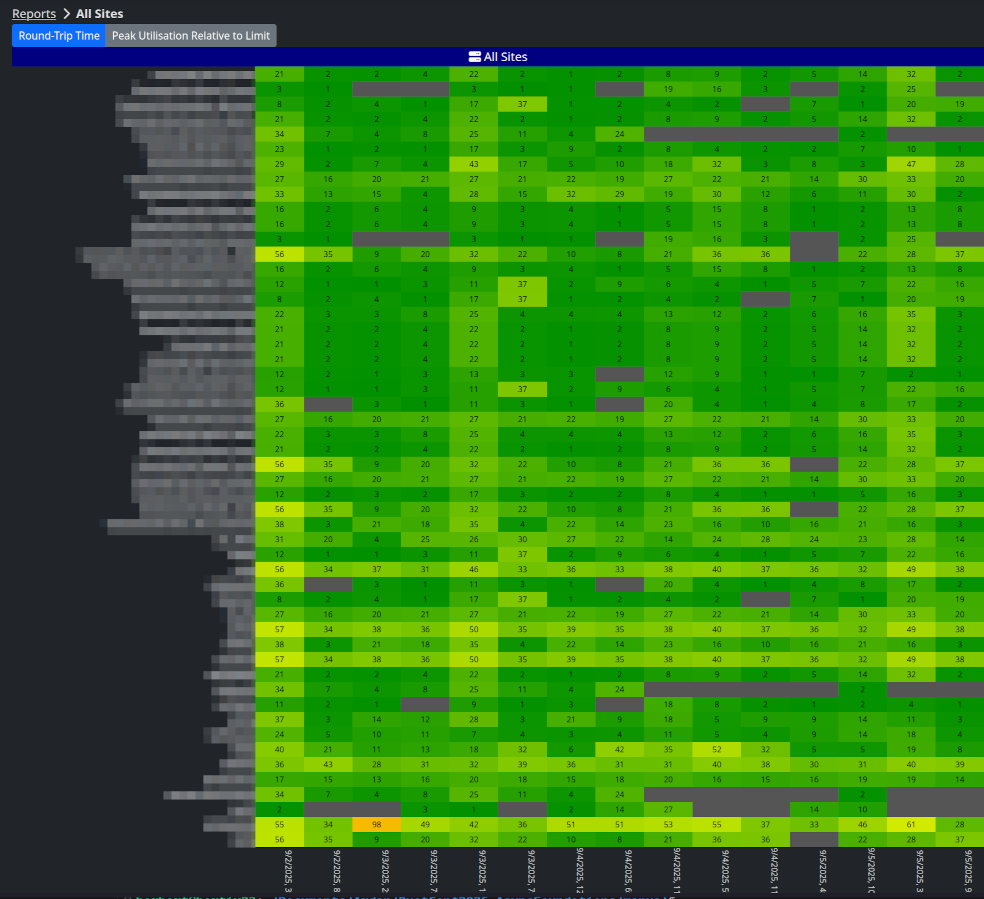
The LTS heatmaps worked pretty well, but had some limitations — and it didn’t always scale to the largest networks.
New Heatmaps in LibreQoS Insight
For Insight, we’ve completely changed how we store data. Many heatmap metrics are pre-aggregated in our time-series database, allowing for near-instant generation of heatmaps. We include a top-level heatmap (showing sites underneath the shaper) on the default shaper page:
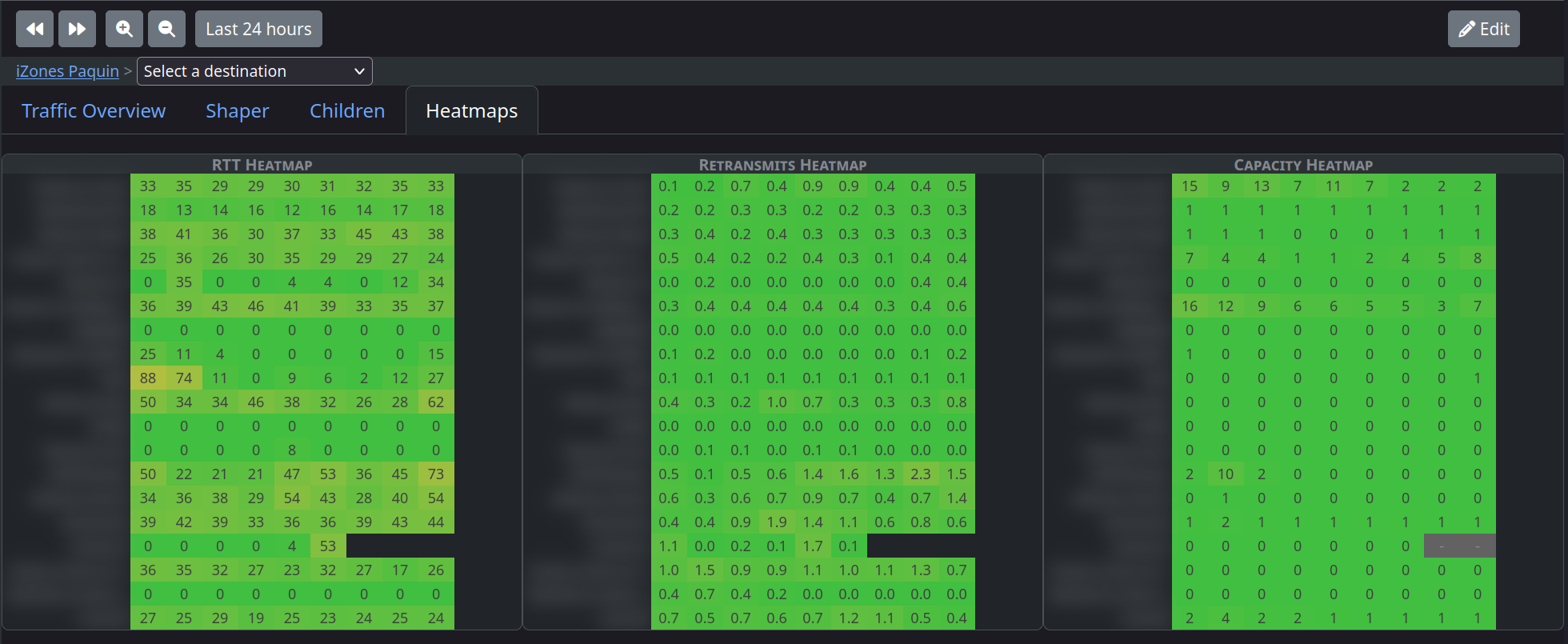
Unlike the original LTS, we’ve given you three heatmaps by default:
- Round-trip time (RTT)
- TCP retransmissions
- Capacity/utilization
Each of the site names is a clickable link, taking you to the site details page. Tooltips explain the contents of each cell. Clicking a cell changes the visible time-range to match that of the cell - for instant “drill down” into the data.
We mirror the heatmaps on the site details page, showing both child sites and child circuits, so you can instantly see which circuits are having problems.
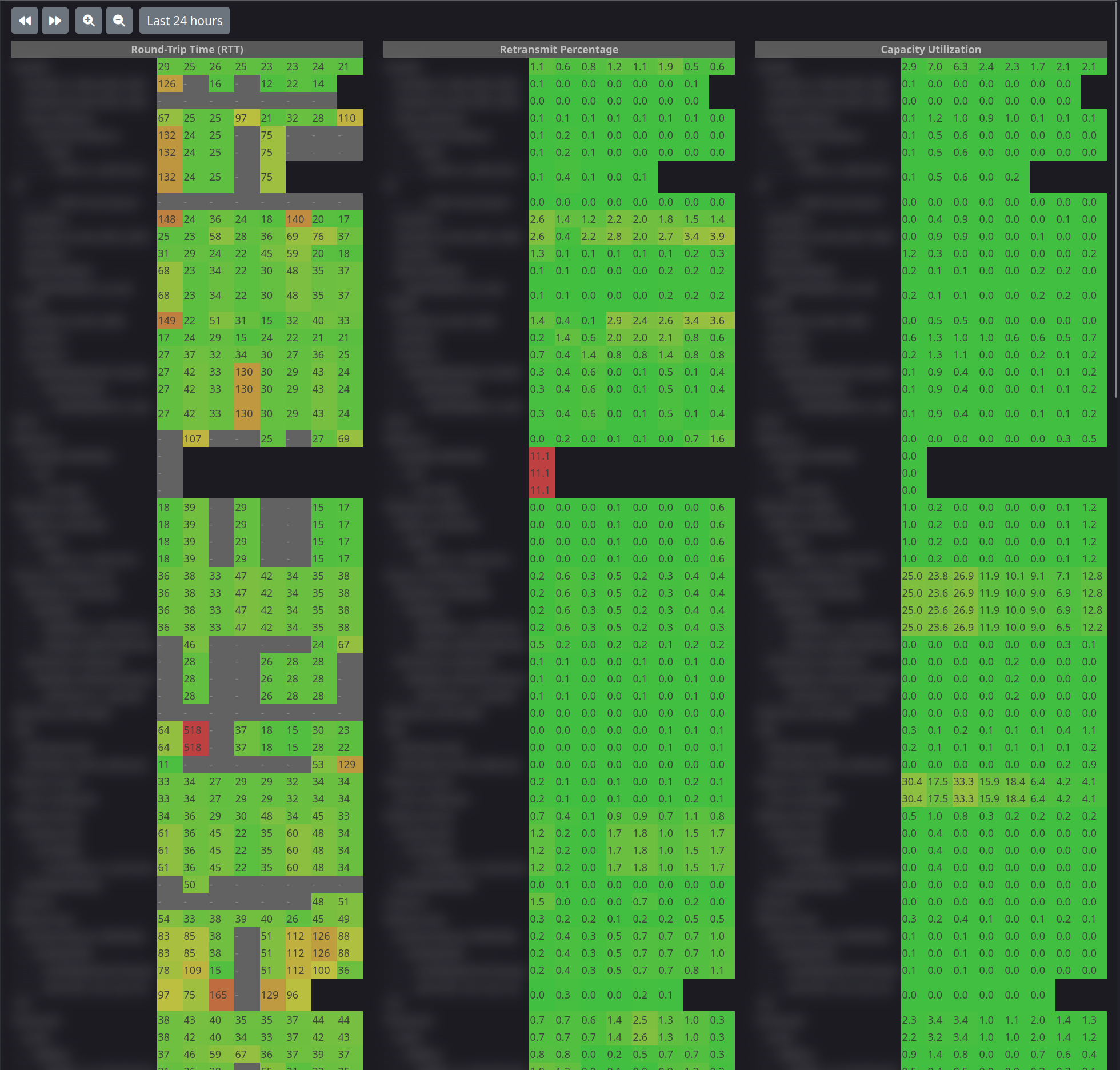
We didn’t want to lose the “all sites” heatmap, so it’s promoted to a top-level menu item. It now includes your entire site tree and displays the hierarchy:
Heatmaps In Action
Here’s a real-world example of using heatmaps to zoom in on problems.
Wrap-up
The new heatmap system is a great way to visualize network performance. It’s fast, interactive, and scales to large networks. It’s increasingly popular to leave the heatmaps open in a browser tab (they update over time), or on a wall monitor.
Insight can help you reduce mean-time-to-resolution (MTTR), and encourage proactive maintenance.
Sign up for a free trial of Insight by clicking the “Insight” link in your LibreQoS traffic shaper web interface.