SSL/TLS and Caddy Support
• Herbert WolversonFor a long time, when users have requested SSL/TLS support for LibreQoS — we’ve replied “use Caddy, nginx, or another reverse proxy in front of it.” That can be a complicated process, so we’ve automated secure browser setup.
Why not use Axum+RustTLS?
Using Axum and RustTLS would work (and has been suggested by various users). However, it’s not very flexible. RustTLS is quite strict by default, and working with self-signed setups would become quite painful for end-users. Let’s Encrypt support is possible - but also not supported by default. Additionally, not all of our users want SSL/TLS. So we’d be in the “fun” situation of needing to try and support all of these configurations at once.
Why Caddy? Why Not Nginx?
Caddy is an excellent, lightweight reverse proxy. It has great support for Let’s Encrypt and Self-Signed setups, it doesn’t use many resources, and it’s battle-tested. It’s in use by projects all over the place.
Nginx is really nice and battle-tested, too. It does everything - which is a blessing and a curse. Nginx setup can be quite tricky. So we preferred the easier route.
When Wouldn’t You Want SSL/TLS?
LibreQoS can expose customer information - so it should be encrypted. The exception to this is purely local access. If its sitting in your NOC and can’t be accessed from anywhere else - the risk of leaks across your office is very low.
TLS also adds a little overhead - so if you are running on a shoestring budget (and many WISPs are), you may not want the overhead. That’s fine. Just be careful!
Setting up Caddy
When you first install LibreQoS 2.2, a new “first run” wizard will offer to include Caddy/HTTPS in the new setup. The “first run” setup is exciting, and I’m hoping to blog about it soon.
When you want to add HTTPS to an existing LibreQoS installation - go to Configuration -> SSL:
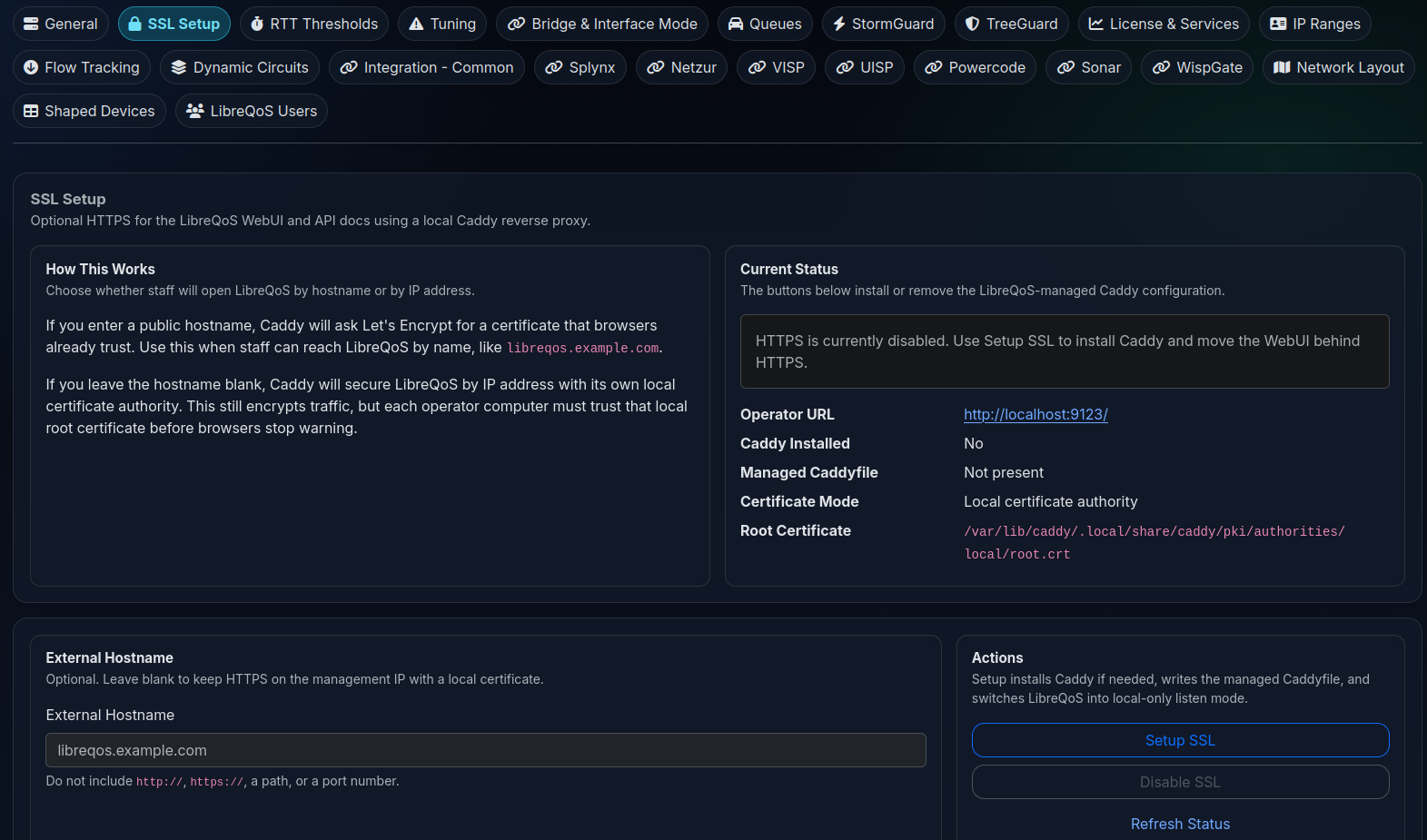
Clicking “Setup SSL” will install Caddy, configure it for both the API and LibreQoS, and you are good to go.